


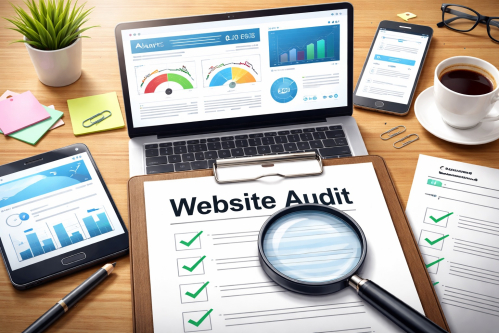
How to Audit Your Business Website in 30 Minutes: A Complete Non-Technical SEO Checklist
Most business owners assume their website is doing its job simply because it is online. The homepage loads, the menu works, and the contact page exists. On the surface, everything looks fine. But that does not always mean the website is helping the business grow.
In many cases, a website quietly loses opportunities every day. It may load too slowly on mobile devices. It may not clearly explain what the business offers. It may lack trust signals that help visitors feel confident. It may also have weak on-page SEO, making it harder for potential customers to find the site through Google.
The good news is that you do not need to be a developer to identify many of these issues. With the right process, you can audit your business website in 30 minutes and discover the areas that deserve immediate attention. This is especially valuable for business owners with existing websites who want a clear, non-technical website audit checklist that also includes simple SEO checks.
What a Website Audit Actually Means
A website audit is not just a technical scan. It is a business review of how well your website performs for real people and search engines. It helps you answer practical questions. Is the website easy to use? Does it feel trustworthy? Does it guide visitors toward action? Can people find it through search?
A strong website usually performs well in three areas. First, it works smoothly across devices and loads within a reasonable time. Second, it clearly communicates what the business does and what the visitor should do next. Third, it follows basic SEO best practices so that Google can understand and rank the content.
When one of these areas is weak, the website may still look attractive but fail to support real business goals.
Simple Tools You Can Use During the Audit
You can complete most of this audit using a few free or accessible tools:
- Google PageSpeed Insights for speed, performance, and page experience checks
- Google mobile-first indexing best practices for understanding mobile expectations
- Ubersuggest for beginner-friendly SEO insights
- Ahrefs Free SEO Tools for keyword and SEO checks
- Broken Link Checker for finding dead links
For mobile usability, do not rely only on a tool. Open your site on your own phone and test it like a real customer would.
The 30-Minute Website Audit Checklist
The goal is not to produce a long technical report. The goal is to identify practical issues that affect visibility, trust, and conversions. The checklist below is detailed enough to be useful but simple enough for a non-technical business owner to follow.
1. Start With Website Speed
Speed is one of the first things to evaluate because it shapes the visitor’s first impression. A slow website feels outdated and frustrating. It can reduce engagement before a user even reads the first line of content.
Visit Google PageSpeed Insights and run your homepage URL. Look at both mobile and desktop results. While business owners often focus too much on the score itself, it is more useful to pay attention to whether the page feels slow and whether the tool flags problems such as oversized images, unused scripts, or slow server response times.
If your website loads slowly, some common reasons include heavy images, poor hosting, too many plugins, or bloated theme files. Even without technical knowledge, you can still take a useful first step by listing which pages feel slow and checking whether images appear too large or too slow to display.
2. Check the Mobile Experience Carefully
A business website can look excellent on a laptop and still perform badly on a phone. Since mobile traffic is dominant for many industries, this is one of the most important parts of the audit.
Open your website on your own phone. Navigate the homepage, services page, about page, and contact page. Ask yourself whether the text is readable without zooming, whether the buttons are easy to tap, and whether the layout feels comfortable or crowded.
Google’s mobile-first indexing guidance is also worth reviewing because Google primarily uses the mobile version of a site for indexing and ranking. A poor mobile experience is not just a design issue. It can affect visibility in search as well.
3. Review the Homepage Message
Your homepage should explain what your business does within a few seconds. Many websites fail here. They have banners, sliders, and polished visuals, but they do not communicate a clear offer.
Imagine a new visitor landing on your homepage for the first time. Can they immediately understand what you do, who you serve, and why they should consider your business? If the message is vague or generic, your conversion rate may be lower than expected.
A strong homepage headline is useful for both users and SEO. It should clearly describe the business and naturally include a relevant keyword or service phrase where appropriate.
4. Audit Your Calls to Action
A business website should not leave visitors guessing. Every important page should guide the user toward a next step, such as making a call, filling out a form, sending an inquiry, booking a consultation, or requesting a quote.
During the audit, check whether your main call to action is visible near the top of the page and whether it appears again where it makes sense. A button that says “Contact Us” is fine, but sometimes more specific wording such as “Request a Free Quote” or “Book a Consultation” performs better because it explains the benefit more clearly.
If your site gets visitors but not enough inquiries, weak or hidden calls to action may be part of the problem.
5. Make Sure Contact Information Is Easy to Find
Visitors should never have to search too hard for your contact details. A trustworthy business website usually includes visible contact information in the header, footer, or both.
Check whether your phone number, email address, and physical location are clearly displayed. If your business serves a local market, location information matters even more because it increases credibility and supports local relevance.
This is a simple part of the website audit checklist, but it directly affects trust and conversion. If people want to reach you and cannot do so quickly, they may leave and contact a competitor instead.
6. Look for Trust Signals
Online trust has to be earned. When someone visits your site for the first time, they are deciding whether your business appears credible. That is why trust signals matter.
Review whether your site includes testimonials, client logos, review screenshots, certifications, awards, years of experience, case studies, or team information. You do not need all of them, but you do need enough to reassure a cautious visitor.
Instead of only saying that your company is reliable, show evidence that others have worked with you and had a positive experience.
7. Do a Basic SEO Check
This part is essential because a good-looking website that cannot be found through search is missing a major opportunity. Fortunately, you can do a basic SEO review without becoming an SEO expert.
Use Ubersuggest or Ahrefs Free SEO Tools to get a simple overview. Then review your main pages manually.
Start with the page title and meta description. These appear in search results and influence whether people click. A title like “Home” or “Welcome” is too weak. A clearer title such as “Accounting Software for Small Businesses” is much more useful.
Next, check whether the page uses relevant terms naturally in the headline, first paragraph, and supporting headings. Good SEO does not mean repeating the same phrase excessively. It means helping search engines and users understand the topic clearly.
Also review your URLs. Clean, readable URLs such as /web-design-services are generally better than long or confusing versions full of random numbers or symbols.
8. Evaluate Content Quality and Freshness
Content can become outdated without anyone noticing. Services change, pricing evolves, offers shift, and company details get replaced over time. When content becomes stale, users may question whether the business is still active or reliable.
Read through your main service pages and key landing pages. Look for unclear sentences, old dates, broken promises, spelling issues, or content that no longer reflects what your business offers today.
Fresh, relevant content also supports SEO. Search engines tend to reward pages that remain useful, accurate, and aligned with user intent.
9. Check for Broken Links and Error Pages
Broken links make a site feel neglected. They interrupt the user journey and can also create SEO issues over time.
Run your site through Broken Link Checker and note any pages, internal links, or external links that no longer work. If users click a service page or form link and see an error, confidence drops immediately.
This is one of those easy fixes that can quickly improve both usability and overall site quality.
10. Confirm Basic Security and Technical Trust
Finally, check whether your site uses HTTPS and shows a secure lock icon in the browser. This is now a basic requirement for business websites. A site that still loads as HTTP can feel untrustworthy, especially if visitors are expected to fill out forms or submit personal details.
While this may sound technical, the check itself is simple. Open the site and confirm the lock icon is visible. If not, it is worth asking your developer or hosting provider to fix it.
Easy SEO Steps to Check Right Away
Since you asked for easy steps to check SEO, here is the simplest way to approach it:
- Check whether each important page has a clear and descriptive title
- Make sure the page headline matches what the page is actually about
- Use your main keyword naturally in the first paragraph
- Keep URLs clean and easy to read
- Review whether the page genuinely answers the user’s question or need
- Update outdated content and improve thin pages with better explanations
- Fix broken links and make sure the site works well on mobile
These steps will not replace a full SEO strategy, but they are an excellent starting point for any business owner reviewing an existing site.
When You Should Call a Developer or Agency
A non-technical audit helps you spot issues, but not every issue can be solved alone. There comes a point where outside help becomes the efficient option.
You should consider involving a developer or agency if your website is consistently slow, the mobile layout breaks, forms do not work, pages are disappearing from search, or the design and structure feel too outdated to support your current business goals. You should also seek help if you are planning growth activities such as paid campaigns, landing pages, lead tracking, or deeper SEO work.
In other words, use this checklist to identify what is wrong, then decide whether the fixes are simple content improvements or technical improvements that need expert support.
A website audit does not need to be complicated to be valuable. In just 30 minutes, a business owner can identify major issues related to speed, usability, trust, and SEO. The key is to look at the website from the perspective of both a customer and a search engine.
If your website is an important business asset, it deserves regular review. Small improvements made consistently can lead to stronger visibility, better user experience, and more inquiries over time. That is why a simple website audit checklist is so useful. It turns guesswork into action.
If you completed this audit and found multiple weak points, do not leave them for later. Start with the easiest fixes first: improve your homepage message, strengthen your call to action, update contact details, and review your basic SEO elements.
If the deeper issues are technical, work with a trusted developer or agency to improve performance, mobile usability, and long-term search visibility. Your website should do more than exist. It should actively support business growth.